
Ergonomics shows up in everyday routines more often than people realize. Adjusting a chair to work better with a desk, moving a monitor so you do not keep looking downward, or choosing a tool with a handle that is easier to reach are all practical examples.
The workplace is one of the easiest places to see these principles in action because people interact with chairs, desks, computers, and work equipment for hours at a time. The same thinking applies outside work: tools, spaces, and tasks should fit the people using them.
What Does Applying Ergonomics Actually Mean?
Ergonomics looks at how work, tools, and environments can be designed around human abilities and limitations.
The adjustment does not always need to be dramatic. Moving a monitor a few centimeters or changing chair height can significantly change how someone interacts with a workstation.
A useful principle is simple: people should not have to constantly adapt their bodies to poorly fitted tools or environments. The setup should adapt to them as well.
Explore more related topics through the PEXIO Inspiration Hub.
Examples of Ergonomics in the Workspace
The workspace offers some of the clearest everyday examples of ergonomics. Every component influences the others, from the chair underneath you to the mouse beside your keyboard.
1. Adjusting an Office Chair to the User

Two people can use the same chair with completely different settings.
A shorter user may need a lower seat and shallower seat depth. Someone with longer thighs may need a deeper seat to provide enough support.
Depending on the model, ergonomic chairs may offer adjustments for seat height, lumbar support, armrests, recline, and seat depth.
Those features matter when they actually fit the user. A highly adjustable chair left in its default configuration may still feel wrong for the person sitting in it.
Read also: Regular Office Chair vs Ergonomic Chair: What's the Difference?
2. Matching Desk Height to the Hands and Elbows

A work surface that sits too high can push the shoulders upward while typing. A very low desk may encourage the upper body to move down toward the work area.
Elbow position provides a useful reference.
With the shoulders relaxed, the hands should be able to reach the keyboard without lifting the entire arm. A height-adjustable desk makes this easier because the work surface can move with the user.
A fixed-height desk may require adjustment through the chair, keyboard tray, or footrest.
The ergonomic principle is not simply owning an adjustable desk. What matters is the relationship between the desk and the person using it.
3. Placing the Monitor Where It Is Easy to See

A low monitor can keep the head angled downward. A screen placed too far away may encourage the user to lean forward to read.
Monitor placement should reflect the user's height, screen size, and visual needs.
The main display is generally easier to use when it sits in front of the user. A dual-monitor setup should also consider which screen is used most often.
A monitor arm or stand can add flexibility when the display's built-in adjustment does not provide enough range.
Sometimes moving the screen makes more sense than repeatedly reminding yourself to "sit straight."
4. Keeping the Keyboard and Mouse Within Easy Reach
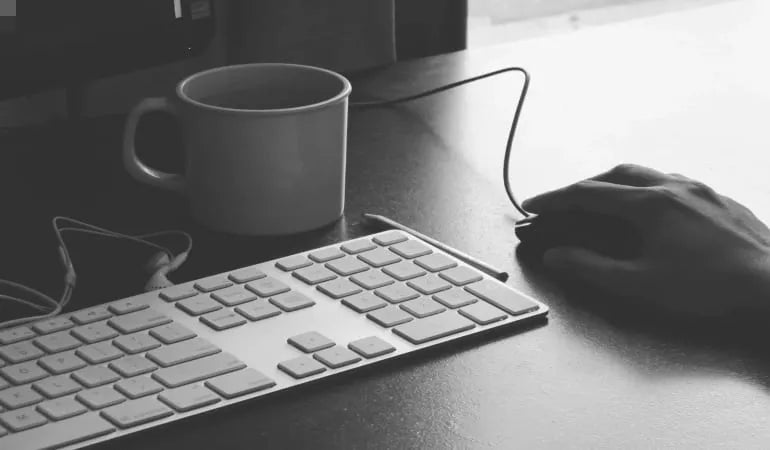
A keyboard placed too far forward makes the arms reach away from the body. A mouse sitting far off to one side creates a similar problem.
Input devices work better when they remain within a comfortable working area.
Keyboard height should generally allow the shoulders to stay relaxed while the elbows remain relatively close to the body. The wrists should not need to remain sharply bent while typing.
Keep the mouse close to the keyboard as well. The hand should not have to move to a completely different height every time you switch between typing and mousing.
Read also: Ergonomic Keyboard Tray for a More Comfortable Typing Setup
5. Organizing Frequently Used Items Around the Workflow

Ergonomics also influences how objects are arranged on a desk.
Think about your phone, notebook, headset, documents, and other tools used throughout the day.
Items reached for repeatedly should stay relatively close. There is little reason to twist or stretch across the desk dozens of times for the same object.
Less frequently used items can sit farther away.
A good desktop arrangement follows the way someone works rather than focusing only on how neat the desk looks.
6. Keeping Enough Space Under the Desk

The area underneath a desk easily turns into storage.
Bags, boxes, computer towers, cables, and drawers gradually take over the space meant for the legs.
When that happens, users may sit farther away from the keyboard or rotate their body because there is nowhere else for the knees to go.
Adequate legroom makes it easier to move, pull the chair closer to the workstation, and change position during the day.
A large desktop does not automatically make a workstation ergonomic if the space underneath is unusable.
7. Changing Position During the Workday

Ergonomics is not about finding one perfect posture and holding it for eight hours.
The body benefits from variety.
A focused typing position may feel different from the position used during a video call or while reading. Workers may recline occasionally, stand up, walk for a drink, and then return to the desk.
Height-adjustable desks add another option by allowing a transition between seated and standing work. Reclining chairs provide variation while remaining at the workstation.
Movement remains part of an ergonomic setup. Furniture should give people more useful positions, not encourage them to stay still for longer.
For a deeper look at professional environments, Read also: Applications of Ergonomics in the Workplace
Examples of Ergonomics Beyond the Workspace
The same principles apply after the laptop closes. Many household objects are easier to use when their dimensions and design fit the person doing the task.
8. Using Household Tools with Suitable Handle Lengths
A broom with a very short handle makes a taller user bend farther down.
The same idea applies to mops, vacuum cleaners, and gardening tools.
An appropriate handle length allows the tool to be used without forcing the body into an uncomfortable position for the entire task. Adjustable telescopic handles can be particularly useful when several people share the same tool.
This is ergonomics at its most basic: design around the user.
9. Organizing a Kitchen Around Real Activities
Kitchen layouts provide another everyday example.
Frequently used items are easier to handle when they sit within a practical reach zone. Heavy cookware stored very high up requires a more awkward combination of reaching and lifting.
Work-surface height matters as well.
Preparing ingredients, chopping food, washing dishes, and reaching for supplies involve different movements. A well-planned layout reduces unnecessary bending, twisting, and long reaches.
10. Making Lifting and Carrying Tasks Easier to Manage

Ergonomic thinking also applies when moving objects.
A load that is too heavy or awkward to grip should not be forced simply because someone can technically lift it. Splitting the load, using a trolley, asking for help, or improving the grip can make the task easier to control.
Where the object is held matters too. Loads kept closer to the body are generally easier to manage than heavy items held far out in front.
The broader point is to design the task around realistic human capability.
Ergonomics Does Not Always Mean Buying New Equipment
An ergonomic workspace does not need to be filled with specialized accessories.
Many issues can be improved through adjustment.
A monitor can move. A keyboard can come closer. Frequently used objects can be reorganized. An adjustable chair may simply need its seat height or lumbar support reset.
Accessories become useful when the current setup has a genuine limitation.
A footrest may help when the feet no longer have stable support after adjusting the chair to the desk. A monitor arm provides more range when the display cannot reach a suitable position. A keyboard tray can help when a fixed-height desktop leaves the keyboard too high.
A more practical approach is to identify the problem first, then choose the adjustment or equipment that addresses it.
Ergonomics Should Follow the Person and the Task
Examples of ergonomics in everyday life range from office chairs to broom handles. They share the same idea: tools and environments work better when they reflect the needs of the people using them.
For many professionals, the workspace is the most useful place to start because chairs, desks, screens, keyboards, and other devices are used for long periods every day.
The same principles can then carry into other activities at home.
Explore more articles on workstations, posture, furniture, and ergonomics through the PEXIO Inspiration Hub, or browse PEXIO ergonomic products for office and home workspaces.